
The Silicon Valley priesthood just dropped a new set of scriptures. It is the GPT-5.5 manual. Stop writing long, rambling novellas to get a simple email. You are over-specifying. You are cluttering the machine’s head with bureaucratic noise.
OpenAI just told you how to do it better.
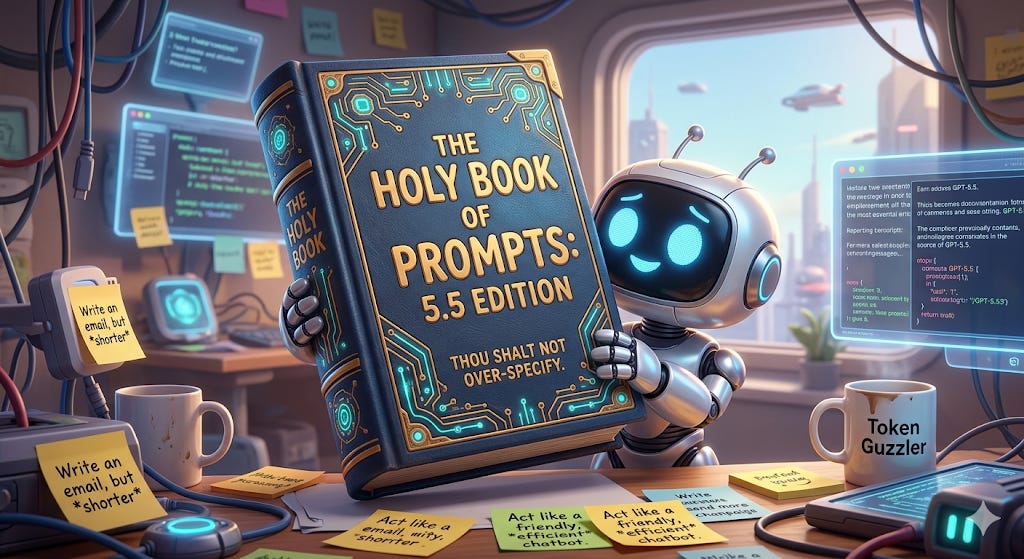
The new model (codename 5.5) is leaner. It is more efficient. It does not need you to hold its hand like a first day at school toddler while it crosses the street. If you treat GPT-5.5 like its predecessor, you are wasting energy and time. You are narrowing the search space. You are making the bot mechanical.
Here is how you actually talk to the new bot.
Outcome Over Process
You’ve been telling the prompt what you want. You told the model to breathe, then walk, then look left, then look right. GPT-5.5 wants the “Outcome-First” approach.
The Old Way: “First, look at this. Then, breathe. Then, consider the pros and cons. Then, write a draft.”
The New Way: Describe what “good” looks like. Define the constraints. Give it the facts. Then shut up.
Legacy prompts are full of junk. They are full of step-by-step instructions that the new reasoning engine finds insulting. Or at least redundant. When you over-specify, you add noise. You lead the model into a corner.
With 5.5, you describe the destination. You let the machine pick the road.
Give the Bot a Pulse
You have two levers to change the vibe in your chat:
By default, GPT-5.5 is a drone. It is direct. It is task-oriented. It has the personality of a clipboard. This is fine for code. It is bad for a coaching experience or a customer bot.
You now have two levers.
Personality controls the vibe. Use it for warmth, humor, or empathy. Collaboration Style controls the workflow. Does it ask questions? Does it make assumptions?
Keep these blocks short. Do not use them to fix a bad goal. If your goal is blurry, a “vivid conversational presence” will not save you. It will just be a charming failure. Here’s the example prompt they gave:
Personality: Ask for warmth, humor, or professional distance.Collaboration Style: Tell it how to talk back. Should it ask you questions before it finishes? Should it make “reasonable assumptions” to save time?
The Preamble Trick
There is a lag. We all feel it. The model is thinking. It is planning. It is calling tools. In a streaming app, the user sees a blank screen. They get nervous.
The fix? Demand a preamble. Tell the model: “Start every response with a one-sentence update on what you’re doing.” * “I am looking up the latest tax laws now...” * “I am drafting the outline for your speech...”
Set a Search Budget
The bot can be a perfectionist. It will search forever if you let it. It will hallucinate a second search just to “be sure.”
If you’re in a rush, set a Stopping Rule. Tell the bot: “If the first search has the answer, stop there. Don’t keep searching to ‘improve the phrasing.’ Just give me the facts.” This is how you get answers in seconds instead of minutes.
Better Editing: The Preservation Rule
GPT-5.5 is highly steerable. But do not over-index on heavy structure.
Use headers and bullets only when necessary. If it is a report, use them. If it is a conversation, use paragraphs. Natural transitions are better than a wall of bullet points that looks like a corporate PowerPoint.
When you are editing text, tell the model what to preserve. This is vital. Tell it to keep the length. Tell it to keep the genre. Then ask for the polish. Otherwise, the machine will “improve” your text by turning it into a marketing brochure for a product nobody wants.
Bad Prompt: “Rewrite this to be better.”
Good Prompt: “Polish the grammar, but preserve my cynical tone and keep it under 200 words. Do not change the technical jargon.”
Prevent Hallucinations with Placeholders
This is where the hallucinations hide. And I’m not talking about your hipster friend’s year old baggie of shrooms.
If you ask for a report and the bot doesn’t have the data, it might invent a number just to please you.
Tell the model: “Use facts for dates and metrics. If you don’t find the evidence, use a placeholder like [INSERT DATA HERE]. Do not invent numbers.”
It is much easier to fill in a blank yourself than to fact-check a lie.
The Prompt Architecture Summary
If you are building something complex, use the official structure. Keep it modular.
Role: Who is the bot?
Personality: How does it sound?
Goal: What is the win condition?
Success Criteria: What must be true?
Constraints: What are the safety and business limits?
Output: What is the shape of the answer?
Stop Rules: When does it quit?
Validation and Checking
The model can now check its own work. If it is writing code, tell it to run a smoke test. If it is rendering an image or a UI, tell it to inspect the output for clipping or spacing errors.
Shorter is Better (despite what she said)
The machine is getting smarter. Your prompts need to get shorter. Stop talking to it like a toddler. Start talking to it like a senior partner who is busy and hates wasting time.
The era of the “Mega-Prompt” is dying. Good riddance. It was mostly just clutter anyway.
GPT-5.5 is here to work. Let it. Just don’t forget to tell it when to stop.
Does this new “outcome-first” approach change how you plan to build your next automation workflow?